PARKERUPDATES
This page says what changed in each build, newest first. Thank you for walking with us through the beta. Parker is now on the App Store: the Get Parker page has the link.
A calmer Town: your friends in one list, packs you can join and leave, and a plaza where you choose who walks with you.
What's new
- Your friends, easier to find. Five friends show on the Town page, and "See all friends" opens the full list with search and a "Can ring today" filter. Every friend has a Ring button, and tapping a friend opens a small card with one big Ring.
- Packs you can leave. The Pack screen shows who is in your pack, how much room is left, and lets you invite more friends. "Leave pack" is there too, and it always asks first. If you leave and join another pack in the same week, your steps this week count for the new pack, and the weekly bundle is paid once.
- Pack mates see your name and Parker. The people in your pack can see your Town name and your Parker's outfit and skin colour, even if you are not friends. They see the pack's total steps, never your own. Only a friend can invite you, and nobody joins a pack without saying yes. If a pack mate is not your friend, tap them to Report or Block.
- Your Town name. Town shows "You walk as" and your name, with an Edit button. New walkers pick a name once when they join Town.
- Choose who walks with you. On the plaza, pick up to 10 friends, or leave it on automatic. Your choice stays on your phone. Name tags now stay under their own walkers.
- A support code card. Home shows a calm "Support code" card once, and Settings keeps it. Tap it to see your code, then Copy or Share it. Nothing is made until you tap.
- Clearer codes. Friend codes and support codes use a bolder font with more space between characters, so 5 and S, 2 and Z, 8 and B look different. VoiceOver reads every character.
- Still no ads. Parker stays ad-free.
Fixed
- Steps refresh when you open Parker and whenever you come back to it, so Home does not sit on an old number.
- Shop previews show each item on a plain base, instead of over what you are wearing.
Heads up
- Friends on Parker 0.2.2 or earlier can still collect a second pack bundle in the same week. Ask them to update in TestFlight.
- A busy plaza with 9 or more walkers moves a little slower on purpose. If it looks choppy on your phone, tell us which phone and how many friends you chose.
What to try
- Close Parker and open it again. Is today's step count right straight away?
- Open Town. Find "You walk as" and tap Edit. Is the name sheet clear?
- Ring a friend from the list, then from their card. Try the search in "See all friends".
- Invite a friend to a pack, then leave it. Do the words make clear what happens to your steps?
- Choose who walks with you. Is the plaza easy to read when it is busy, and does your phone stay smooth?
- Open your friend code and your support code. Can you tell 5 from S and 2 from Z?
- Open the Shop. Does the preview show the item on its own?
Tell us what you think. Open Settings, then Send beta feedback, in the app. You can also take a screenshot and use TestFlight's feedback screen, or email hello@walkingparker.app. Please leave step counts and health details out.
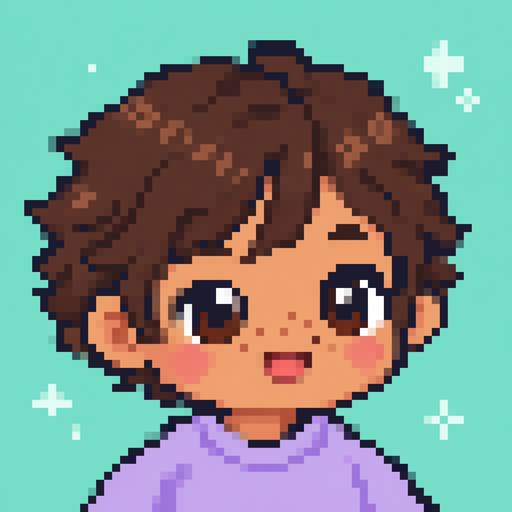
Parker in eight skin colours. They are free for everyone, and you can change your mind whenever you like.
What's new
- Eight skin colours. Parker can now wear the skin colour that feels like you. Choose it in the Wardrobe or in Settings. Settings shows Parker next to the colours, so the change is easy to see. Skin colour is never for sale and never a prize.
- Your colour in Town. Your colour is saved with your Town profile and is seen by the people who can see your Parker's outfit: your friends, people you have an open friend request with, and anyone who types your friend code (unless one of you has blocked the other). They need Parker 0.2.2 to see it. Nothing else uses it.
- A small NEW tag in the Shop. It marks things added since you last looked.
- A "New in this version" card on Home after you update, with a button to the skin colours.
- A gentler first launch. If you are new to Parker, setup now asks one thing at a time.
- A clearer delete screen. It says plainly that your progress lives on this phone. Updating through TestFlight keeps it; deleting the app removes it.
Fixed
Nothing to list this time.
Heads up
- Anyone on an older version (0.2.0 or 0.2.1) still sees Parker in the original colour. Nothing breaks. Ask them to update in TestFlight and they will see yours.
- To take your colour off your Town profile, choose Parker's original colour. Deleting your account removes your whole Town profile, colour included.
- On the deeper colours, a few hairstyles (bowl cut, long wavy and tousled) blend into the face more than we would like. On a colour other than the original, a few outfits may also show a pale edge at the hands. If you spot one, tell us which item.
What to try
- Open Settings and pick a skin colour. Does Parker change next to the colours? Does it feel gentle?
- Open the Wardrobe and pick a different colour. Do your outfits and hair still look right?
- Turn on Reduce Motion in iOS Settings, then pick a colour again. Parker should simply change.
- Try the largest text size. Can you still read and tap the colours?
- If a friend in Town is on 0.2.2, check you each see the other's colour.
- Open the Shop. Do you see NEW on things you had not seen?
Tell us what you think. Open Settings, then Send beta feedback, in the app. You can also take a screenshot and use TestFlight's feedback screen, or email hello@walkingparker.app. Please leave step counts and health details out.
One pixel font everywhere, outfits that can come as a Set, notifications that take you to the right place, and your outfits follow you to a new phone.
What's new
- One pixel font. Headings, labels and tags now all use the same clear pixel font, so Parker looks more like itself on every screen. The new font is smaller for its size, so the headings are a little bigger than before.
- Sets. Some outfits can now come as a two-piece Set in the Shop. One tap buys both pieces, and a piece you already have is not charged again. Sets show up once the team switches them on, so you may not see one straight away.
- Notifications that open the right screen. Tapping a friend's bell takes you to Town, and tapping a gift from the Parker team takes you to the right place. Reminders also arrive more freely now, at any hour you have notifications switched on, and you can still choose which kinds you want in Settings.
- A gift can say what it is. When the Parker team sends you something, the notification can now tell you what it is.
Fixed
- Outfits you bought on one phone now come back when you sign in on another phone.
Heads up
- Because the headings are bigger, a few screens may look a little tighter than before, especially at very large text sizes. Tell us if anything is cut off.
- Still true from earlier builds: items bought with free cupcakes may not come back after a reinstall, and friend bell notifications are still untested.
What to try
- Look through the app. Do the headings and labels feel clear and tidy, with nothing cut off?
- Open the Shop. If a Set is on show, open it. Can you see both pieces and the total before you buy?
- Open the Wardrobe and wear something you have bought.
- If a friend rings your bell, tap the notification. Does it open Town?
- If you have a second phone, sign in there. Do your outfits come back?
Tell us what you think. Open Settings, then Send beta feedback, in the app. You can also take a screenshot and use TestFlight's feedback screen, or email hello@walkingparker.app. Please leave step counts and health details out.
Parker sleeps standing up now, loads with a little fashion show, and the numbers are easier to read.
What's new
- A new way to sleep. Parker now sleeps standing, with eyes closed and slower, gentler breathing, instead of sitting down for a nap. Shoes stay on while Parker sleeps.
- A new loading screen. A quick flick through six random outfits that ends on your own look.
- Clearer numbers. Step counts and badges use a new pixel font, so a 2, a 5 and an 8 are easy to tell apart.
- The Shop can change without a new build. New items can now show up on their own, so you will not always need to update the app to see them.
- More outfits are on the way.
Fixed
Nothing to list this time.
Heads up
- A few outfits (the wavy hair, the monster onesie, the cheek plaster and the pyjama onesie) may look a tiny bit off around the eyes while Parker sleeps.
- Still true from the first build: items bought with free cupcakes may not come back after a reinstall, friend bell notifications are still untested, and very large text sizes look cramped on some screens.
What to try
- Open the Wardrobe and look at Parker's sleeping pose. Does Parker look cosy and asleep, with your shoes still on?
- Close Parker fully and open it again. How does the new loading screen feel?
- Check your step count and badges. Is every number easy to read?
- Peek into the Shop now and again. Does anything new turn up without updating the app?
Tell us what you think. Open Settings, then Send beta feedback, in the app. You can also take a screenshot and use TestFlight's feedback screen, or email hello@walkingparker.app. Please leave step counts and health details out.
The very first beta build. Parker walks, dresses up and says hi to friends in Town.
What's new
It is the first build, so everything is new. Here is what you will find.
- Meet Parker. A short first-run setup: say hi, pick your daily step goal, and get a welcome gift and a starter outfit. You do not need an account.
- Parker walks when you walk. Your steps from Apple Health move Parker along the park. Parker also stands around and rests when you do.
- Cupcakes and levels. Walking earns cupcakes and helps Parker level up.
- The Shop. Hair, shoes, face stickers, onesies, outfits, dresses, jackets and park backgrounds. Every item costs 1 cupcake, and you can see it on Parker before you buy.
- The Wardrobe. Wear things, take them off, or go back to your starter look whenever you like.
- Widgets. Put Parker on your Home Screen or Lock Screen to see Parker and today's steps.
- Town. A friends-only place for ages 13 and over. Swap friend codes and ring a friend's bell. Nobody's steps are shown unless they choose to.
- Rest days are welcome. Rest Mode keeps things gentle, and there are badges and a journal to look back on.
- Your choice on stats. Anonymous usage stats stay off unless you say yes, and you can switch them off again in Settings.
Fixed
Nothing to list yet. This is the first build.
Heads up
- If you delete Parker and install it again, items you bought with free cupcakes (the ones you earn by walking) may not come back. We are working on it, so it is best to keep the app installed for now.
- Friend bell notifications have not been fully tested yet. A bell may arrive late, or not at all. Opening Town will still show it.
- At the very largest text sizes, a few screens look cramped. The Wardrobe tabs and the Home title are the ones we know about.
- Parker is a walking companion, not a fitness coach or a medical device.
What to try
- Go for a short walk, then open Parker. Does today's progress look right?
- Dress Parker up. Pick a look in the Shop, then wear it from the Wardrobe.
- Add Parker's widget to your Home Screen.
- Say hi in Town. Sign in, swap a friend code and ring a friend's bell.
Tell us what you think. Open Settings, then Send beta feedback, in the app. You can also take a screenshot and use TestFlight's feedback screen, or email hello@walkingparker.app. Please leave step counts and health details out.
Need a hand?
Something not working, or not sure what a change means? Email hello@walkingparker.app and a real person will reply. There are no silly questions, and no rush.
Back home